
What is AssertionHub?
Overview
AssertionHub is a no-code automated testing that continuously monitors your Web Analytics implementation.
With AssertionHub, you can quickly implement automated tests for Analytics, Marketing and Data Layer Push events on your most important conversion funnels. GA4, Meta, Google Ads, Adobe Web SDK, Google Tag Manager Data Layer are supported.
No installation or access to your tools is required. Create a free account and start validating your Digital Analytics implementation.
Get started with the free trial Once you create a Free account,
Key Features
1. No-Code Automated Testing
While other tools need a level of JavaScript knowledge to test more complex funnels, with AssertionHub you don’t need that.
We offer several guided ways to set up even the most complex journeys on Single Page Application and static websites.
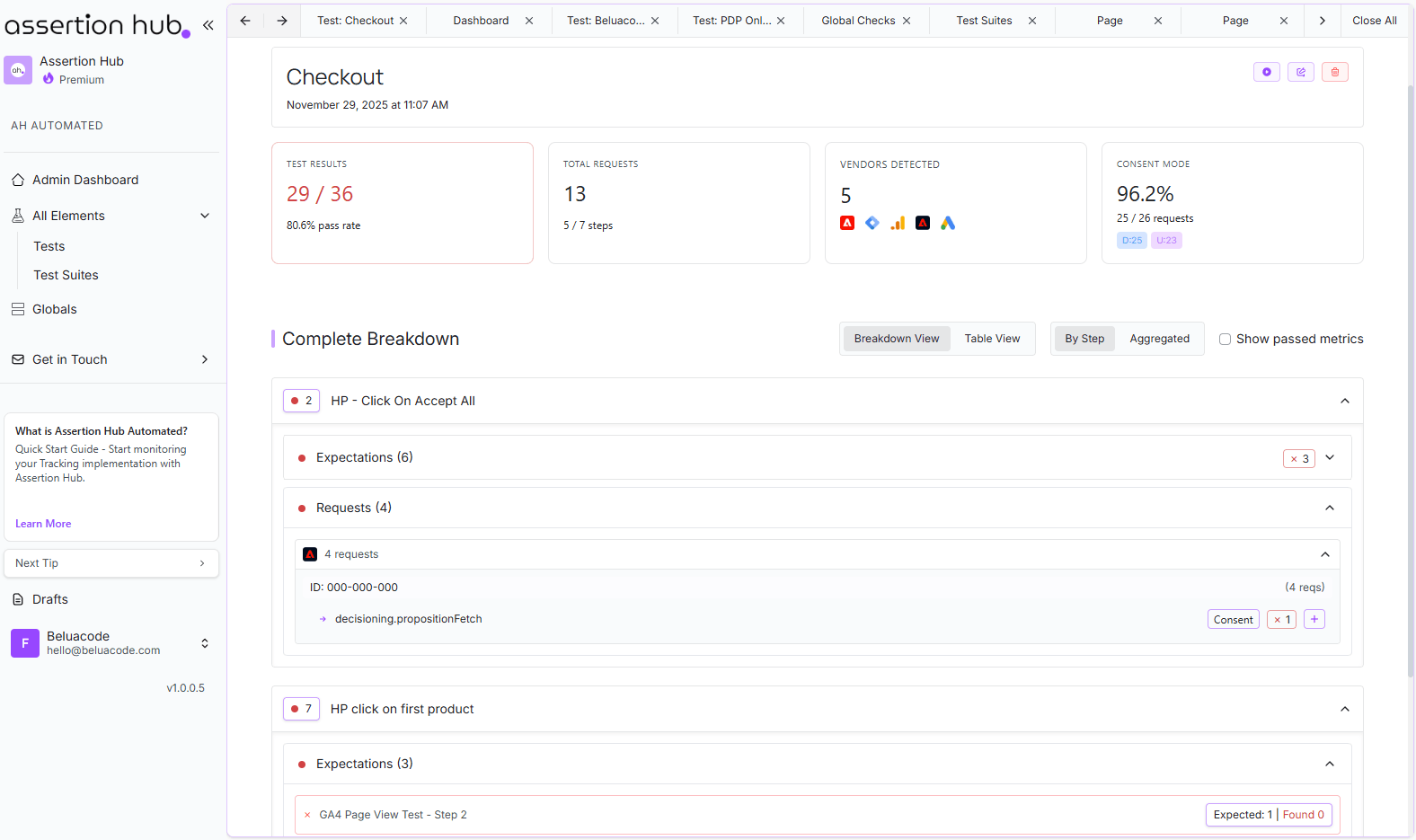
2. The Built-in Browser Recorder
AssertionHub includes a browser recorder you use directly in the app to record your User Journeys. no extensions or external tools needed.
Enter your website URL, hit Start Recording, and navigate your site as a real user would. Every action is automatically added to the step list on the left: navigates, clicks, form fills, scrolls, etc… Each step captures multiple candidate selectors and coordinates, so the recording works even on SPAs, popups, iframes, and consent banners where standard selectors often break. You can also use plain text to describe the step and the AI will take care of clicking where you asked to. E.g. Add a product to cart
Replaying your recording allows you to instantly debug your User Journeys. The steps are automatically replayed inside a live browser canvas. you watch it execute in real time and can stop at any point. Each step shows its status live (running, passed, failed), and you can “continue from any step” to resume mid-journey rather than replaying from scratch every time.
Step management is built for real editing sessions, not just basic recording:
- Drag and drop to reorder steps
- Insert a step above or below any existing one, or duplicate it
- Edit the step description and wait time inline without opening a modal
- Assign analytics tests to individual steps, so tests only run at the right point in the journey
Drafts auto-save as you work, so if you close the recorder mid-session your progress is waiting for you next time you open it.
3. Continuous Validation
Continuous validation of analytics and marketing pixels, including GA4, Facebook, Google Ads, and GTM data layers. The system monitors your tracking daily and sends Slack or email notifications when something breaks.
4. Built-in Tests and Duplicate events Detection
We provide built-in tests and duplicate detection that automatically validates common tracking issues for GA4, Google Tag Manager, Meta, and other supported platforms. With built-in checks and duplication rules rolled out monthly or on ad-hoc basis.
5. Custom Test Creation
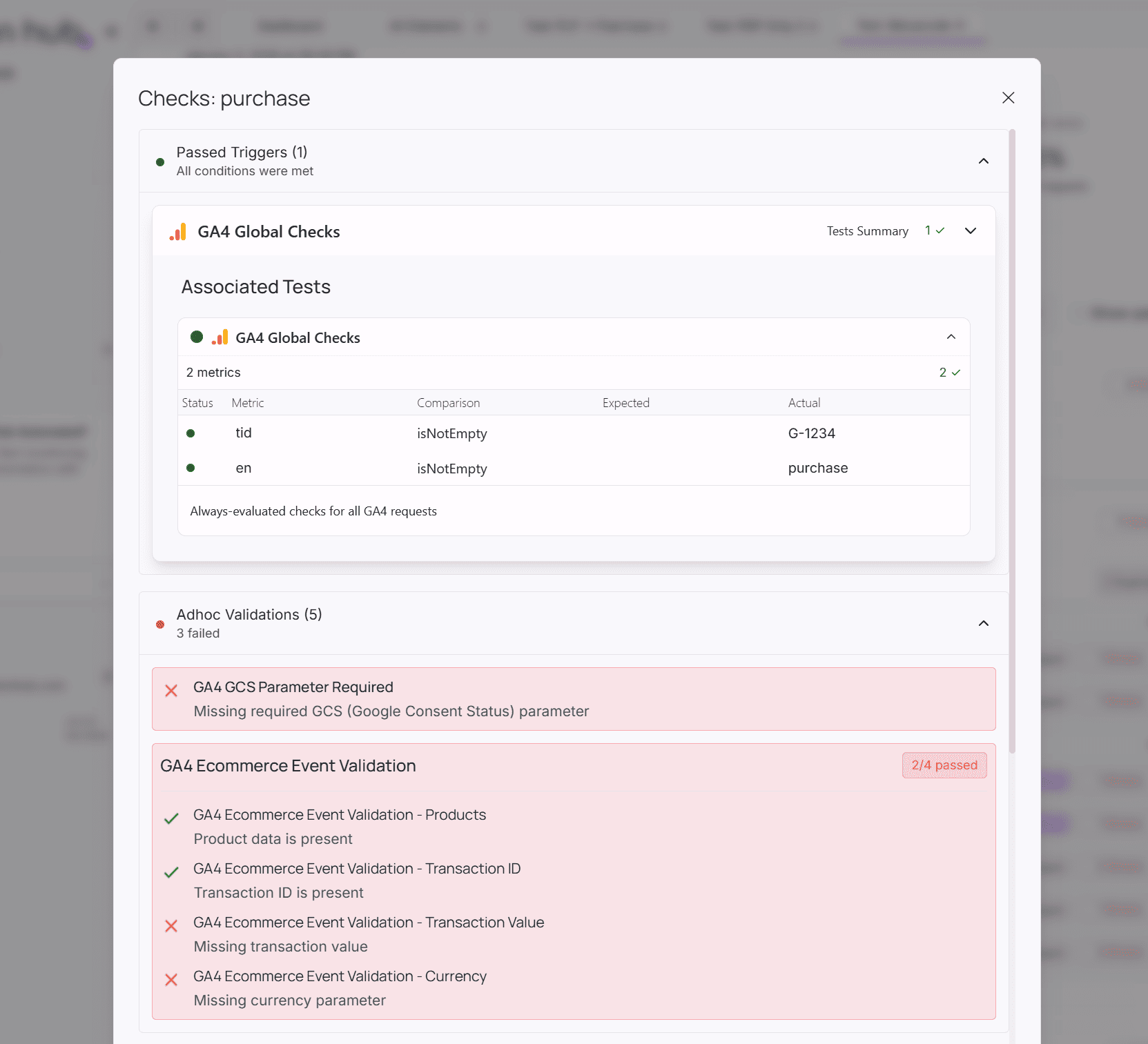
Creating a test doesn’t require you to know your event parameters by heart.
While you navigate in the recorder, a live panel on the right shows every network request and Data Layer push detected grouped by step or page, or all together. You click the “test” on the event, and any captured metric for that event will be prefilled. You just need to pick the metrics you want to assert on, and the test is created. If you’re not sure which metrics matter, describe what you want to validate in plain text and the AI will select them for you. You review, adjust, and save.
A few things that save time at scale:
- Bulk changes: Select multiple metrics or entire objects with 1 click.
- Global Checks: define a validation once (e.g. “GA4 purchase must always have
transaction_id”) and reuse it across all recordings and vendors without recreating it each time. Supported vendors: GA4, Meta, Google Ads, GTM, Bing, Adobe Web SDK, Adobe Launch and more. - Draft recovery: Every element you create, including tests auto-save as you edit, so closing mid-creation doesn’t lose your work.
6. Comprehensive Testing Capabilities
Beyond built-in tests and duplicate detection, you can create custom tests to validate any aspect of your tracking:
- Enhanced Ecommerce Testing
- Data Layer Validation
- Cross-Domain Tests
- Custom Rules to check every metric you need
- Google Consent Mode visibility: every event and Data Layer push shows which Consent Mode state it fired under, so you can verify GDPR compliance at the individual event level, not just site-wide
7. Real-Time Monitoring Dashboard (Closed Beta)
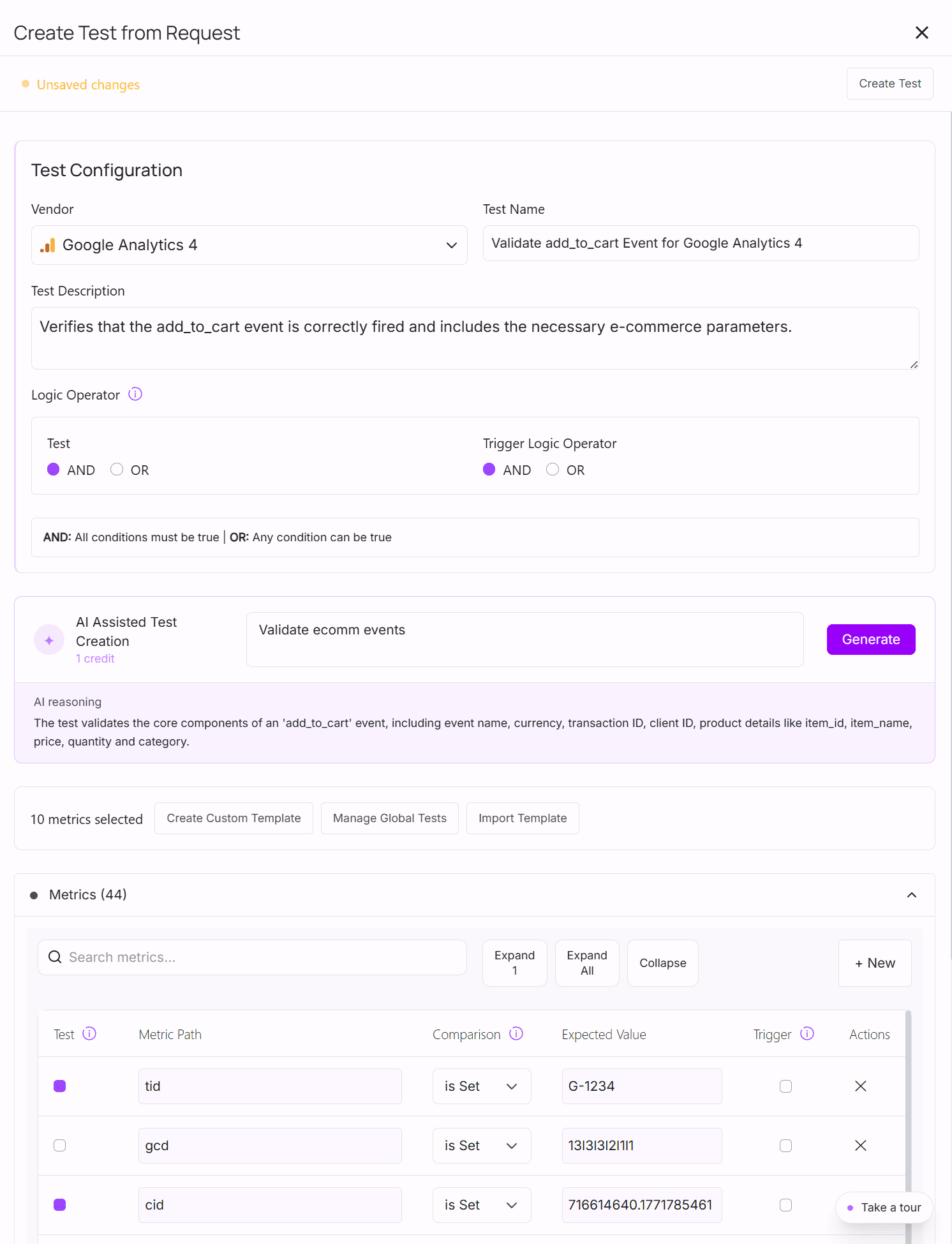
Beyond scheduled test runs, AssertionHub includes a dedicated Real-Time Monitoring dashboard that gives you a live health view of every metric currently firing on your site.
The dashboard shows:
- Health Score : percentage of your tracked metrics currently healthy vs. erroring
- Vendor Health : per-vendor status at a glance (GA4, Meta, Google Ads, etc.)
- Active Issues: the top failing metrics and built-in check violations surfaced immediately
- Auto-check Rules: count of built-in validations running automatically in the background
You can explore issues three ways: by Tracking Plan (page → event → metric), by Vendor, or by Metric, drilling down to see the last 5 recorded values and which tests apply.
From the same dashboard you can:
- Silence a metric temporarily (it stays grayed out but data keeps being collected: useful when you know something is broken and you’re waiting on a fix)
- Exclude an event or parameter entirely (stops it from being collected going forward)
- Mark a metric as mandatory directly from the health view, which creates a test with one click
- Configure staleness define how many hours without data before a metric is flagged as stale (default: 6 hours)
If interested, please get in touch to enter the closed beta.
AssertionHub vs competitors
With rare exceptions, Automated analytics testing tools fall into two categories:
- Prevention tools (like AssertionHub) that catch issues before they reach your reports
- Detection tools that require installation and alert you after data is already affected
Prevention tools are more effective at maintaining data quality, but they may come with high costs and complexity.
Most competitors offer broad feature sets beyond analytics testing, forcing you to pay for functionality you might not need.
Pricing comparison:
- Prevention tools typically require enterprise budgets (hundreds to thousands per month)
- Detection tools start cheap but charge per event, often resulting in higher total costs
With AssertionHub, you start on the Free plan — always free, no credit card required. You get 1 domain, 5 User Journeys, unlimited events validated, and 50 on-demand credits per month. Every account starts with a 7-day free trial to explore all features, then moves to the Free plan automatically.
Detailed comparisons:
- AssertionHub vs ObservePoint
- AssertionHub vs TrackingPlan - Coming soon
Supported Platforms
Validate your tracking implementations across these and more platforms with our QA solutions:
- Google Analytics 4 (GA4)
- Google Tag Manager (GTM)
- Facebook Pixel
- Google Ads
- Adobe Web SDK
- Bing Ads
Pricing Plans
Every account starts with a 7-day free trial to explore all features. After 7 days, your account is automatically moved to the Free plan. No credit card required.
Free Plan
- Price: Always free
- Features:
- 1 Domain
- 5 User Journeys
- Unlimited Events Validated
- Notifications via Email & Slack
- 50 On-demand Credits/month
Freelance Plan
- Price: €49/month
- Features:
- 3 Domains
- 5 User Journeys
- Unlimited Events Validated
- Notifications via Email & Slack
- 100 On-demand Credits/month
- Email support
Agency Plan
- Price: Starting from €179/month
- Features:
- 10 Domains
- Unlimited User Journey Runs
- Unlimited Events Validated
- Notifications via Email & Slack
- 200 On-demand Credits/month
- Email support
Enterprise Plan
- Price: Starting from €499/month
- Features:
- Unlimited Domains
- Unlimited User Journey Runs
- Unlimited Events Validated
- Notifications via Email & Slack
- Unlimited On-demand Credits/month (fair use)
- Email & Chat support
- Dedicated support to resolve issues
Referral Program
Earn by sharing AssertionHub with others who need reliable analytics monitoring.
15% recurring commission on each referral. Both you and your referrals benefit from reliable analytics tracking.
Interested in our referral program? Click here to contact us.
Key Advantages
1. No Technical Barriers
- No coding required
- No browser extensions
- No scripts to add to your site
- Setup takes 1 minute
2. Comprehensive Coverage
- End-to-end testing of entire conversion funnels
- Multi-platform monitoring in one dashboard
- GDPR compliance checking
- Custom rule creation for specific business needs
- Global tests : define a validation once and apply it across all recordings and vendors. Supports GA4, Meta, Google Ads, GTM, Bing, TikTok, Pinterest, Adobe Web SDK
3. Flexible Implementation
- Manage implementation yourself or with support
- Scale from single domain to unlimited domains
- Custom monitoring frequencies and rules available