
Automated Tests for GA4, Meta, Google Ads & GTM
- Manual GA4 QA breaks down at scale. A single failed event can corrupt attribution for weeks before anyone notices.
- Automated tests validate the actual network request payload, not just whether an event name appears in DebugView.
- AssertionHub covers GA4, Google Ads, Meta Pixel, and GTM dataLayer in a single workflow with no code required.
- Prevention-based testing (simulating user journeys) catches issues before they reach live traffic, not after reports are already wrong.
Manual Testing vs Automated Testing for GA4
If your GA4 implementation breaks after a GTM update, a CMS migration, or a checkout redesign, you typically won’t notice until bad data has been accumulating in your reports for days, or weeks. Setting up automated tests for GA4 is the only reliable way to catch those failures the moment they happen, not after the fact.
Manual testing typically means opening your browser DevTools, firing Chrome’s Tag Assistant, watching GA4’s DebugView, and clicking through user journeys while checking that the right events appear. It works for initial setup but falls apart at scale:
- Time-consuming: A thorough manual test of a medium-sized ecommerce site can take hours per release
- Error-prone: It’s easy to miss edge cases, consent-mode variations, or events on less-visited pages
- Not scalable: You can’t manually re-test every journey after every deployment
- No history: Manual checks leave no audit trail, unless heavily documented, of what passed and what failed
Automated tests for GA4 solve all of these. You define the expected behavior once, and tests run on a schedule or on-demand, validating every user journey every time, with a full history of pass/fail results.
Manual and Automated Testing Tools for Google Analytics Events: Compared
Not all tools are built the same. There are three main categories of tools used for analytics event testing:
1. Native GA4 Debugging Tools (Free, Manual)
Google provides built-in tools for inspecting GA4 events. These are great for initial implementation checks, but not designed for continuous automated testing.
GA4 DebugView lets you see events fire in real-time when debug_mode is enabled. You can inspect event parameters and confirm events are reaching GA4. The limitation: it requires a human to watch it, it’s session-specific, and it doesn’t allow to create test to validate the detected events.
Google Tag Assistant (browser extension) helps debug GTM and GA4 tags during a session. Again, useful for spot-checks, but not automated.
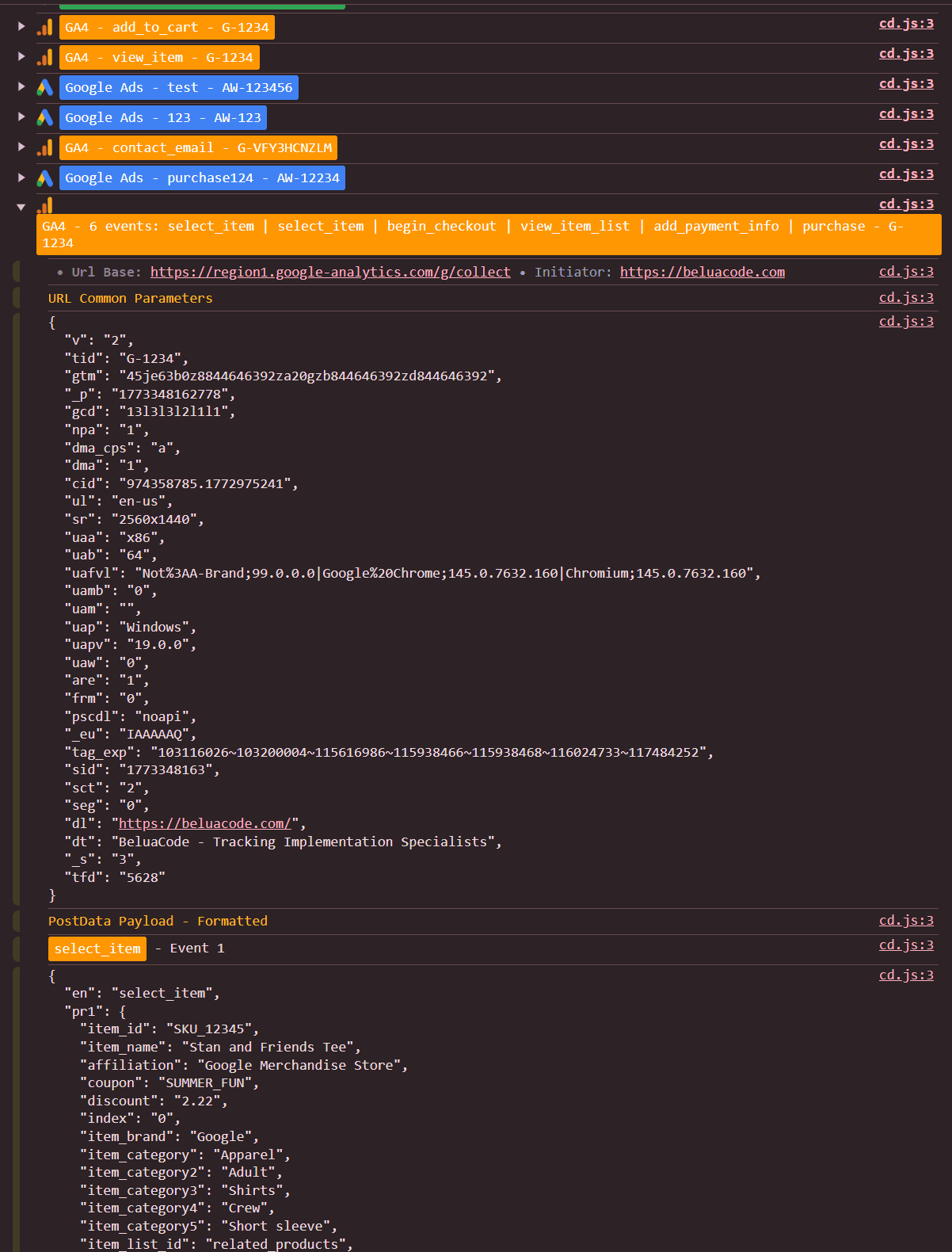
AH Debugger , AssertionHub’s free browser extension lets you inspect GA4 events, their parameters, and Google Consent Mode state in real-time as you browse. Events are grouped by page and step, displayed in a readable format. Useful for manual validation before setting up automated tests.
2. Code-Based Testing Frameworks (Flexible, Developer-Required)
Teams with engineering resources sometimes use general-purpose automation frameworks and write custom analytics assertions on top of them.
Playwright / Puppeteer can intercept network requests and assert that GA4 hits contain correct parameters. This approach is highly flexible: you can test any scenario, integrate into CI/CD, and build complex validation logic.
The tradeoff: someone has to write and maintain the tests. This requires JavaScript knowledge, familiarity with GA4’s Measurement Protocol, and ongoing maintenance as the site changes. For most analytics and marketing teams, this isn’t practical.
3. Dedicated Analytics QA Platforms (No-Code, Continuous)
These tools are purpose-built for analytics event validation. They typically record user journeys or monitor analytics hits, and alert you when behavior deviates from what you’ve defined.
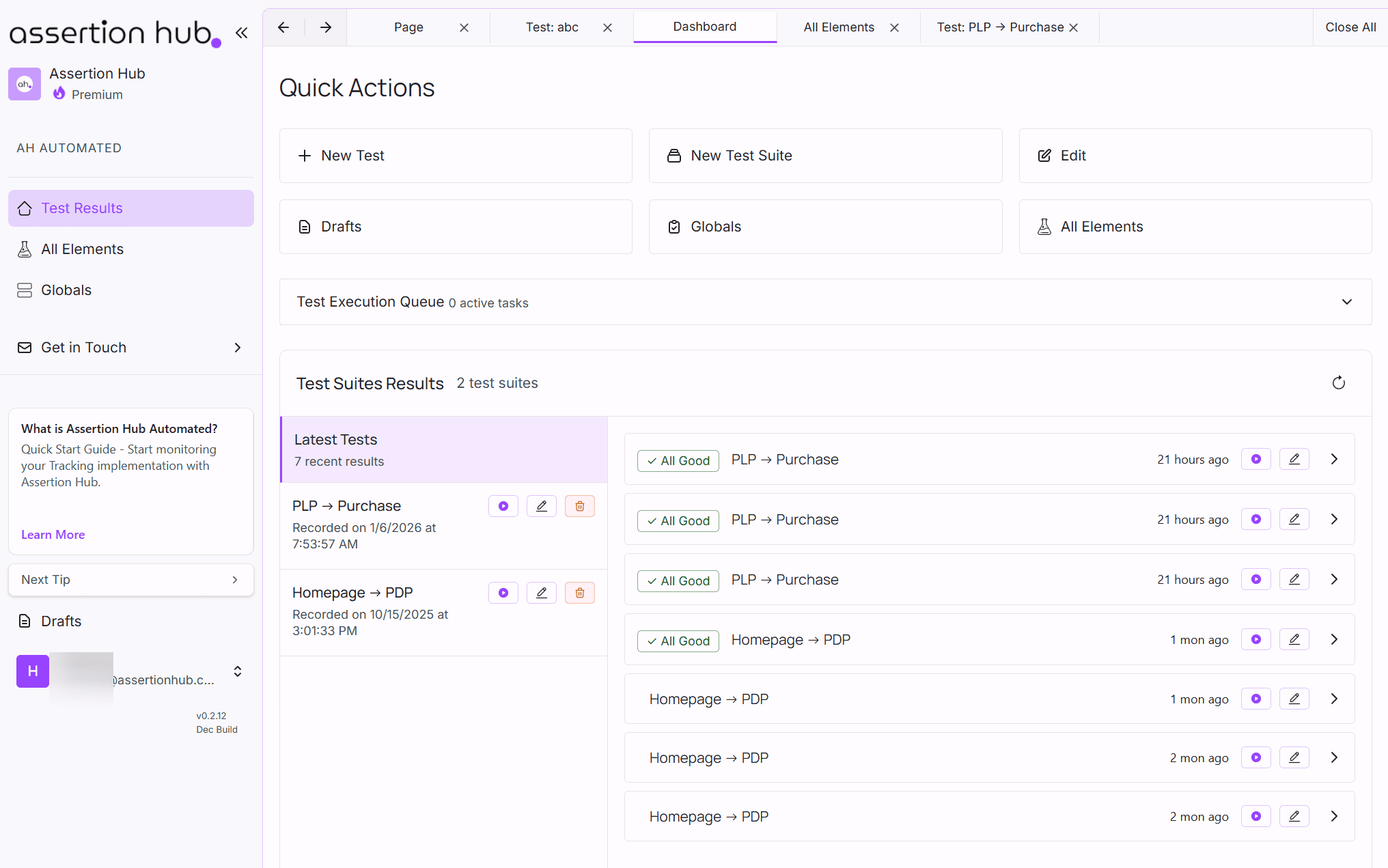
AssertionHub is a no-code platform built specifically for automated analytics event testing. You record user journeys, define explicit pass/fail assertions on your GA4 events and parameters, and tests run continuously. No code required, making it accessible to analytics engineers, marketing teams, and data analysts.
ObservePoint is an enterprise-grade tag auditing platform that crawls your site and validates your tag implementations. It’s comprehensive but targets large enterprise budgets. See our full AssertionHub vs ObservePoint comparison →
Best for: Analytics and marketing teams who need reliable, ongoing Analytics and Marketing validation.
What Automated Tests for GA4 Actually Validate
When people talk about automated tests for GA4, they typically mean one thing: intercepting outbound GA4 network requests (the collect calls to google-analytics.com) and asserting that the right events and parameters are present, in the right format, at the right step of the user journey.
In practice, a well-designed test suite covers these categories:
Event presence, Did the event fire at all? A purchase event that doesn’t fire after checkout is an immediate revenue attribution gap.
Parameter validation, Are the values correct? A purchase event that fires but sends revenue: 0 or currency: undefined is just as damaging as no event.
Timing and sequence, Did the event fire at the right step, not too early or too late? begin_checkout firing on the product page instead of the checkout page poisons your funnel analysis.
Duplicate detection, Did the event fire exactly once? A purchase event firing three times per transaction inflates conversion numbers and corrupts ROAS reporting.
Consent compliance, Did any GA4 event fire when the user denied consent? A failed consent mode implementation is a GDPR violation, not just a data quality issue. See our full guide to testing GA4 and Google Ads GDPR compliance →
Items array validation, For ecommerce, are item_id, item_name, price, and quantity present and correctly typed across all events? See our guide to testing all GA4 ecommerce events →
Beyond GA4: Automated Tests for Meta, Google Ads & GTM
GA4 is rarely the only pixel on a site. The same deployment that breaks your GA4 purchase event can silently break your Meta Pixel Purchase event, your Google Ads conversion tag, or the GTM dataLayer push that feeds both of them.
Running automated tests for GA4 in isolation gives you a false sense of security. A proper analytics QA setup covers the full stack:
Meta Pixel (Facebook Events)
Meta’s Pixel fires alongside GA4 on most ecommerce sites. Common failures include the Purchase event not firing, the value parameter being 0, or the content_ids array being empty, all of which directly impact Meta’s conversion optimization and ad bidding.
Automated tests can assert that fbq('track', 'Purchase') fires with the correct value, currency, and content_ids after a successful transaction.
Google Ads Conversion Tags
Google Ads conversion tags are typically fired via GTM and are just as fragile as GA4 events. A broken conversion tag means Google Ads stops learning, your Smart Bidding campaigns degrade silently while you keep spending.
You can run automated tests that assert the Google Ads conversion event fires on the thank-you page with a non-zero value and the correct conversion_id. See how to test Google Ads conversion tracking and GDPR compliance →
GTM DataLayer Pushes
Most GA4 and Meta events are triggered by GTM, which in turn listens to dataLayer.push() calls from your site. If the dataLayer push is malformed or missing, GA4 never fires, Meta never fires, Google Ads never fires.
Validating the dataLayer directly gives you the earliest possible catch: before any tag even processes the event. See our full guide to automated tests for GTM dataLayer push events →
AssertionHub tests all of these within a single user journey test. You record one checkout flow and assert GA4, Meta, Google Ads, and the dataLayer in one pass, not four separate tools.
High-Quality Analytics Data with AssertionHub
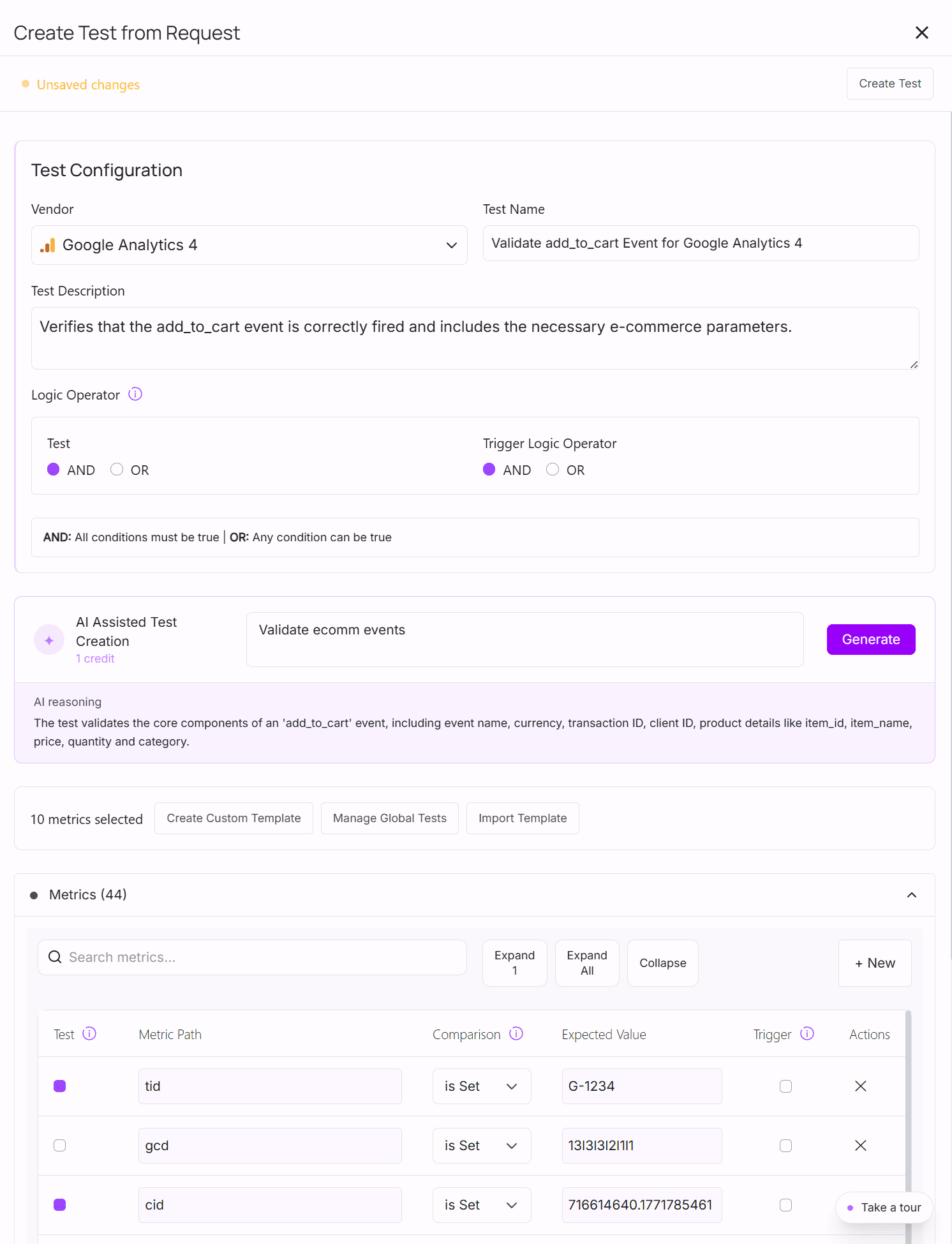
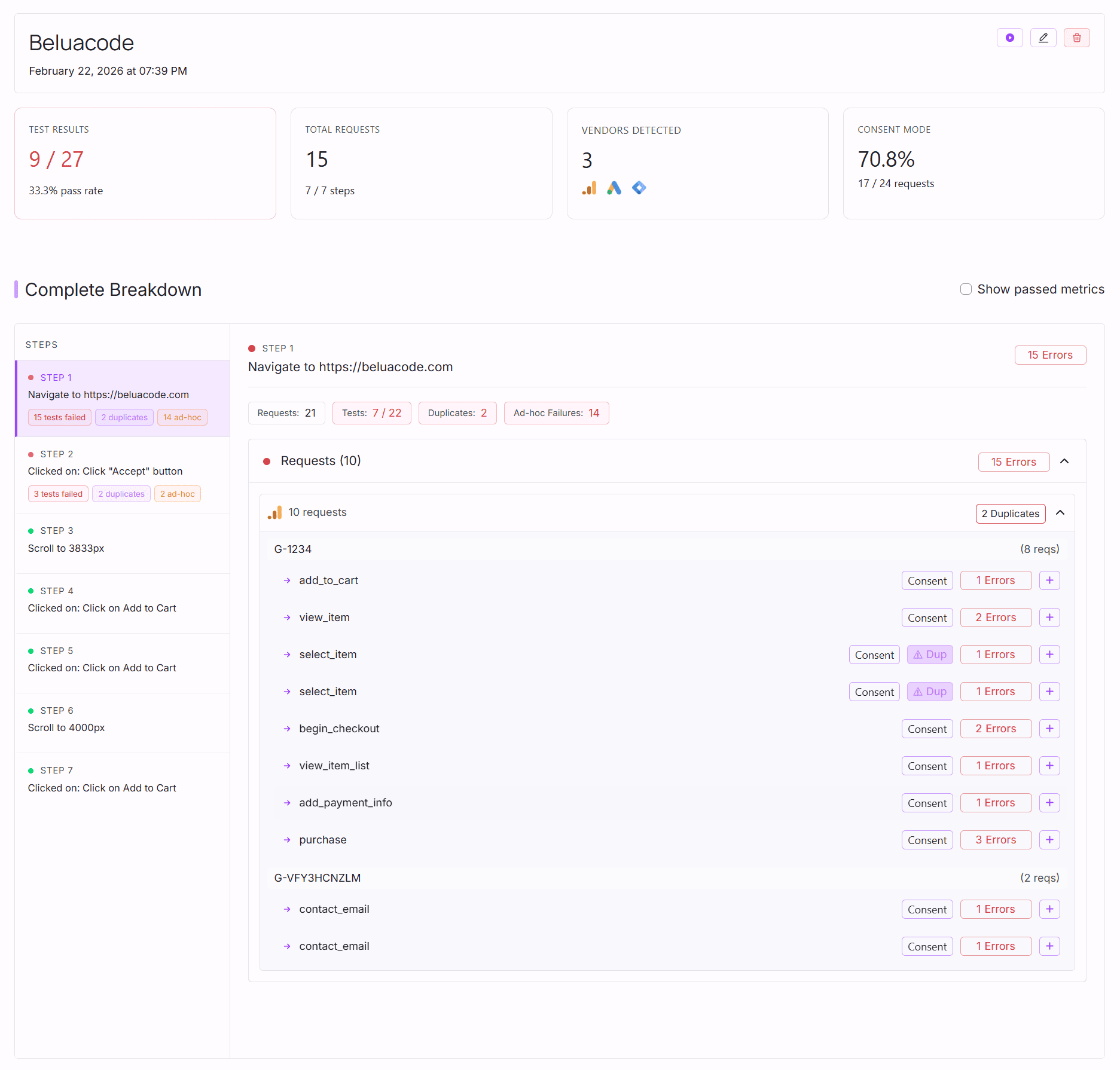
AssertionHub is built from the ground up for analytics event testing. You don’t need to write code, remember your event schema, or maintain test scripts. The guided Test Creation lets you select events and parameters directly from what AssertionHub has observed on your site.
The workflow is straightforward:
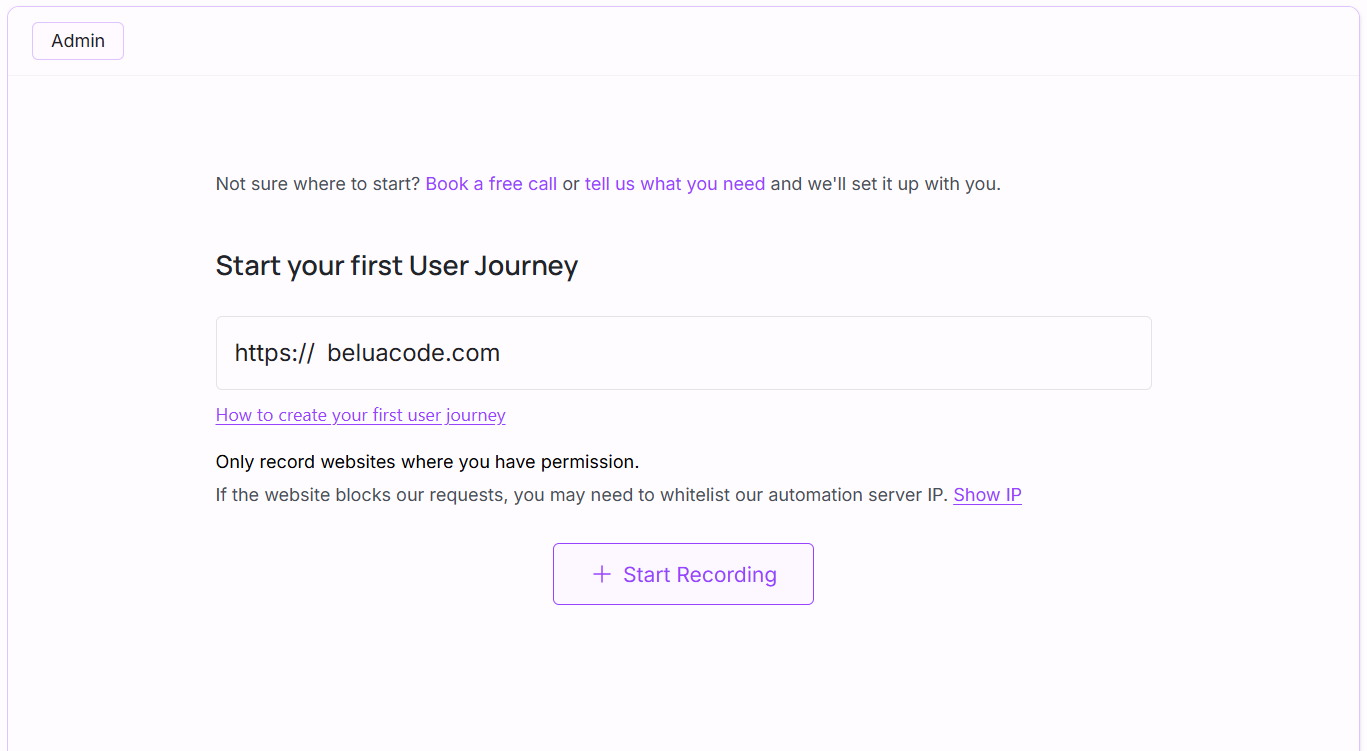
- Record a user journey (e.g., complete a purchase, submit a form, scroll to a section)
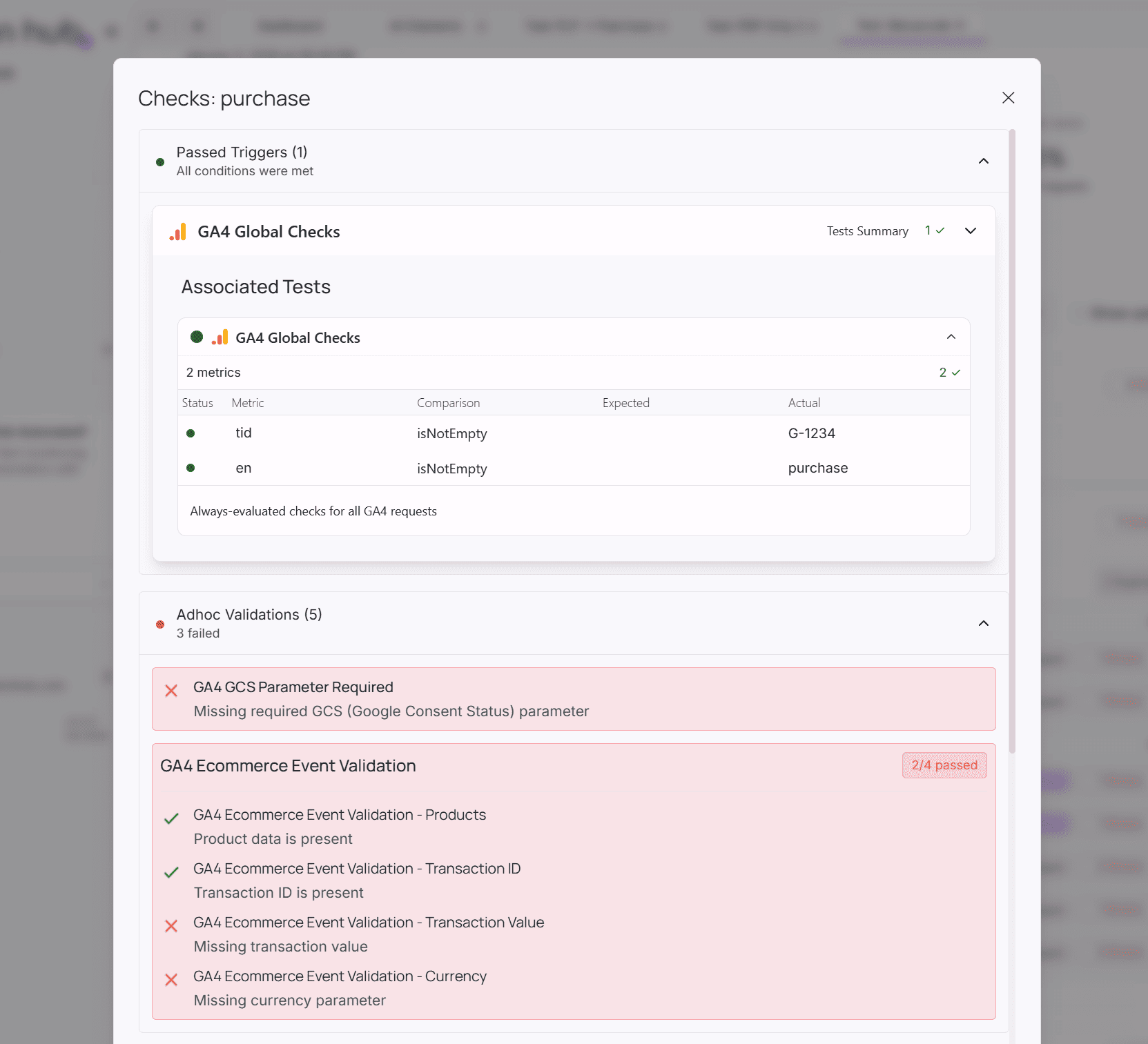
- Define assertions on the analytics events and parameters you expect
- Tests run on your schedule: daily, on every deploy, or on-demand
- Get alerts if anything breaks
Because tests run automatically, you catch GA4 implementation errors the moment they happen, before bad data shows up in your reports.
Key Validation Capabilities
With AssertionHub, you can validate all aspects of your analytics implementation in one place:
- GDPR Compliance Tests: Verify that no GA4
page_viewevent fires when a user denies consent. Confirm that consent mode parameters are correctly passed. - Event Presence Tests: Confirm that a specific event fires after a specific action. E.g.,
purchaseevent fires after completing a transaction. - Parameter Validation: Assert that standard and custom event parameters contain the right values. E.g.,
custom_dimension_1is greater than 0. - Ecommerce Validation: Check that
item_id,item_name,price, andquantityare present and correctly formatted inpurchaseandview_itemevents. - Event Count Validation: Assert the exact number of times an event fires. E.g.,
view_item_listfires exactly twice when visiting a category page, not three times due to a duplicate tag. - Multi-platform Testing: Beyond GA4, you can validate Google Ads conversion tags, Facebook Pixel events, and GTM Data Layer pushes within the same test suite.
Getting Started
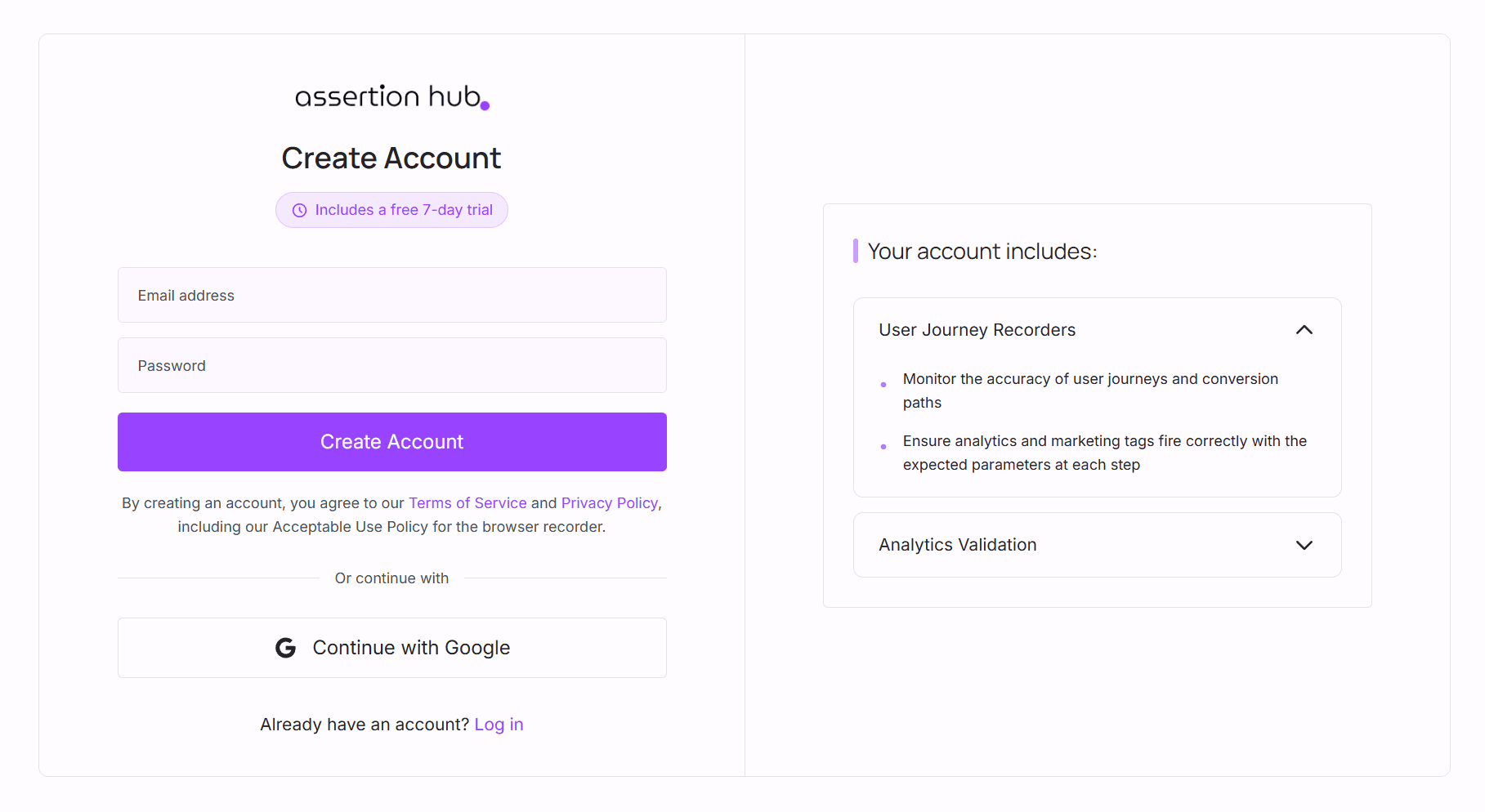
Get started for free. No credit card required.
Once you run a user journey, results typically appear within 5–10 minutes in your dashboard.
Free tier includes:
- Full product access
- Unlimited events monitored
- Built-in validation and duplicates checks
- Email and Slack alerts
- 50 credits to run your first tests
Paid plans start at €49/month (Freelancer Plan) for more credits and domains.
Frequently Asked Questions
Why should I test my GA4 implementation instead of just checking reports?
What's the difference between GA4 Debug Mode and automated testing?
How much does automated GA4 testing cost?
Can I test GA4 without writing code?
What GA4 events should I prioritize testing?
purchase, add_to_cart, begin_checkout. Then test lead generation events like form_submit and generate_lead. Finally, cover engagement events and enhanced measurement. Always test GDPR compliance if applicable.What are the most common GA4 implementation errors?
How often should automated GA4 tests run?
Can automated testing help with GDPR compliance?

Co-founder of BeluaCode and AssertionHub
Analytics Developer specialised in tracking implementation,
implementations QA, tag management and highly customised solutions
when standard tools don't fit.
Runs
BeluaCode
as an implementation agency helping other experts when things get
too complex and
AssertionHub
to automate tracking validation on Analytics events.