
Analytics Testing Framework: How to Detect and Prevent Tracking Issues
- Analytics tracking errors are often silent. Events fire but with wrong data, corrupting reports for weeks before anyone notices.
- A complete testing framework covers three layers: event presence, parameter correctness, and firing timing.
- Manual testing with spreadsheets works for small setups but breaks down beyond around 20 events or frequent deploys.
- Automated testing turns one-time QA into a continuous process that alerts you the moment something breaks.
Why Analytics Testing Matters
Everyone knows that data collection issues are bad for your business, but you might be surprised by how many “data-driven” companies have their Analytics and Marketing Pixels firing twice. The problem gets worse with conversion events. All of this leads to business decisions based on questionable data.
The ideal solution would be to have daily checks on your tracking setup, replicating user journeys and verifying that all events fire as expected. Even though this sounds time-consuming, it’s a fundamental step. Serious companies test their code before pushing to production, why shouldn’t we reserve the same attention for our data collection stack?
There are manual and automated approaches to reach a good level of safety for your MarTech stack. Let’s explore both.
Common Tracking Issues
Before diving into testing frameworks, let’s identify the most frequent problems:
- Duplicate tracking: Multiple pixels or tags firing for the same event
- Missing events: Critical conversion events not firing at all
- Incorrect parameters: Missing or wrong custom dimensions and metrics
- GDPR compliance issues: Tracking firing before user consent
- Cross-platform inconsistencies: Events firing differently across devices or browsers
Manual Testing Framework
The best way to prevent tracking issues is to set up a testing framework carried out on every release or on a weekly/monthly basis. In an ideal world, you would have daily tests on all your Analytics and Marketing events, but we need to be flexible in terms of people allocation for these time-consuming tasks.
Testing Prioritisation Strategy
- Start with weekly/release-based checks on key events and conversions
- Expand the tests monthly to cover the entire funnel leading to those conversions
- Test remaining events once a month or every two months
Documentation Structure
Also, make sure to allocate time to create the structure you’ll need to document these regression tests. This step is overlooked most of the time, but it takes some effort to define what a “correct test” looks like.
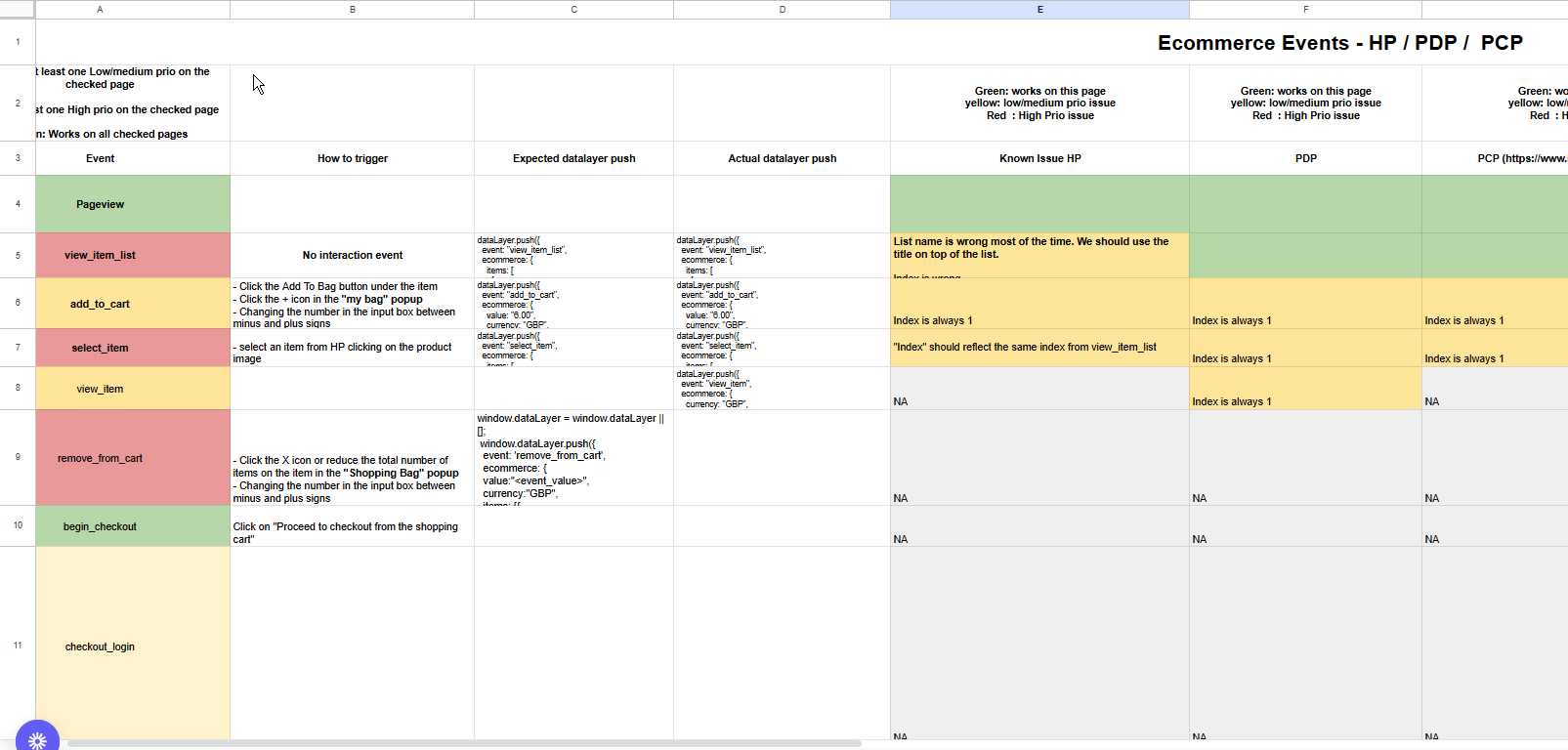
You need a comprehensive list of all events divided by page or component, including:
- All expected dimensions and parameters
- Specific interactions required to trigger each event
- Expected values for custom dimensions
Why the division by page/component? Testing the events in a single location (HP only) only might not work, e.g. clicking “add to cart” on the Product Page may generate different event parameters than the quick add-to-cart button on the Homepage.
In the picture below you can see an example of how we structure our documentation for the manual testing framework.
Manual Testing Process
Step 1: Environment Setup
- Use incognito/private browsing mode
- Clear cookies and cache before each test
- Test across different browsers and devices
Step 2: Journey Simulation
- Follow predefined user paths
- Document each interaction and expected event
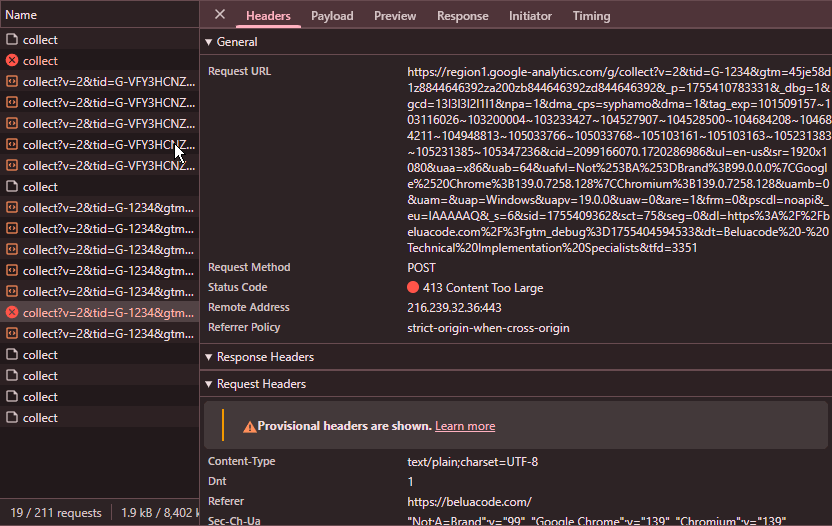
- Verify events in real-time using browser developer tools or Chrome extensions like AH Debugger
Step 3: Validation
- Check for vendor existence (e.g., GA4, Facebook Pixel)
- Check event names and parameters
- Verify custom dimensions and metrics
- Confirm proper timing and sequence
Testing Best Practices
What to Test
Critical Events:
- Page views and virtual page views
- Conversion events (purchase, lead generation, sign-ups)
- E-commerce events (add to cart, begin checkout, purchase)
- Custom events specific to your business
Technical Validation:
- GDPR compliance for your tracking
- Duplicate event tracking
- Missing events
- Missing parameters on events (e.g., item_price missing from one of 20 products in view_item_list event)
Testing Documentation:
- Create test case templates
- Maintain event parameter checklists
- Document expected vs. actual results
Testing Tools
Browser Developer Tools:
- Network tab for request monitoring
- Console for error detection
- Application tab for cookie verification
Chrome Extension to facilitate debugging:
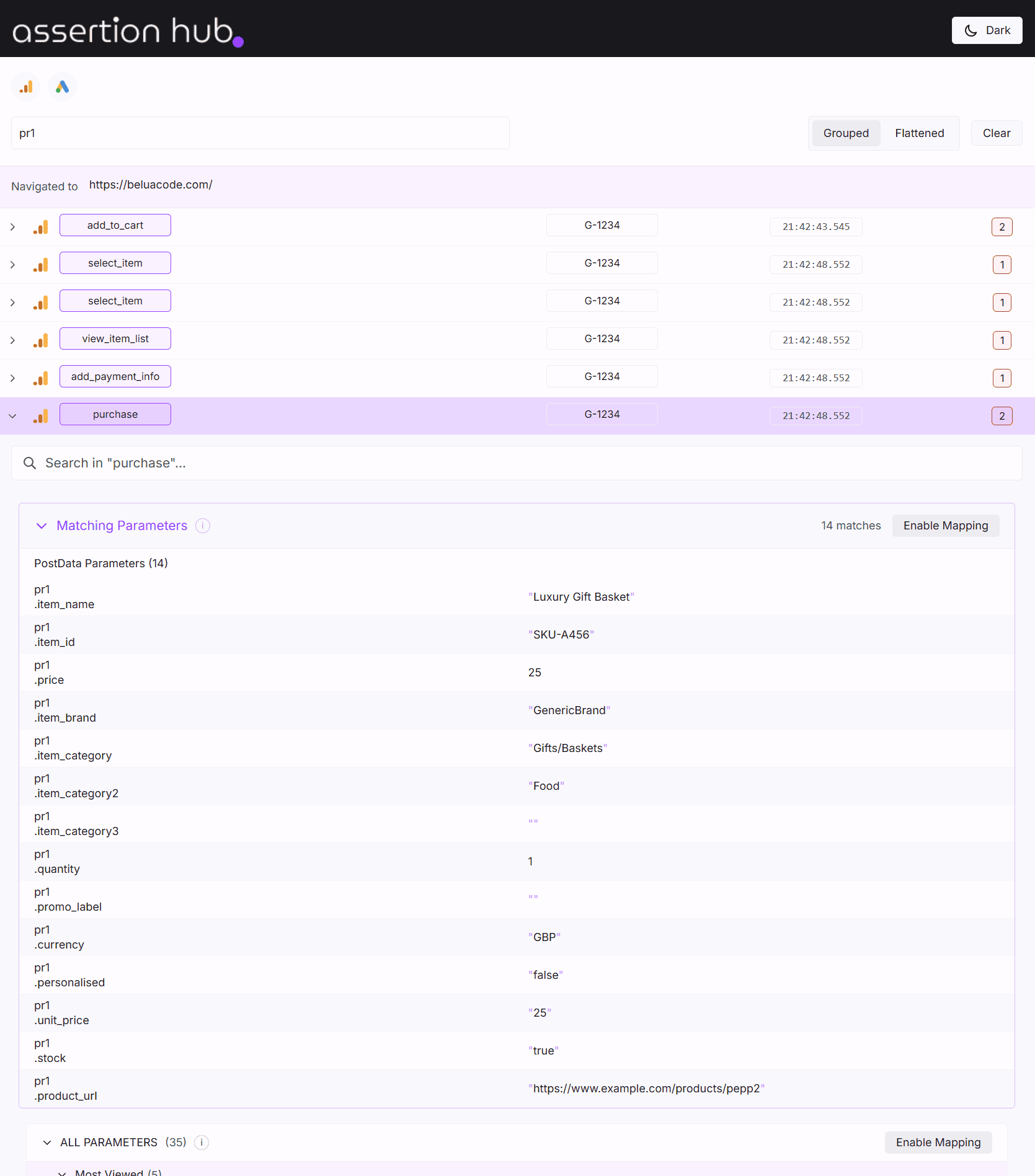
- AHDebugger - a Chrome extension that helps you debug your Analytics and Marketing Pixels implementation by showing all the events fired on the page and their parameters.
Automated Testing Solution
The Automated Approach with AssertionHub
With AssertionHub, we remove most of the manual work needed for setup and execution of tests. Being a no-code solution, there’s a very low entry barrier for non-technical people.
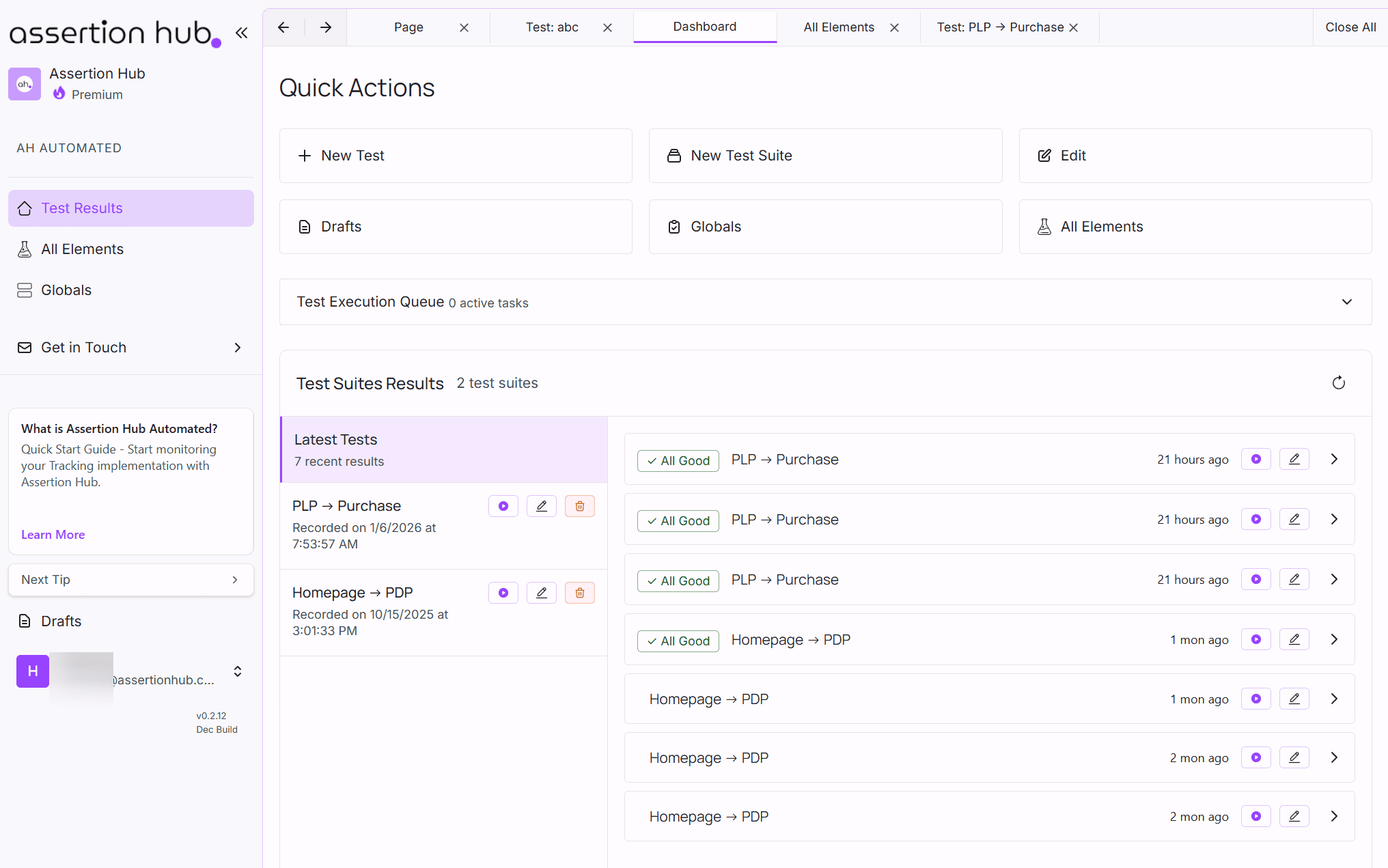
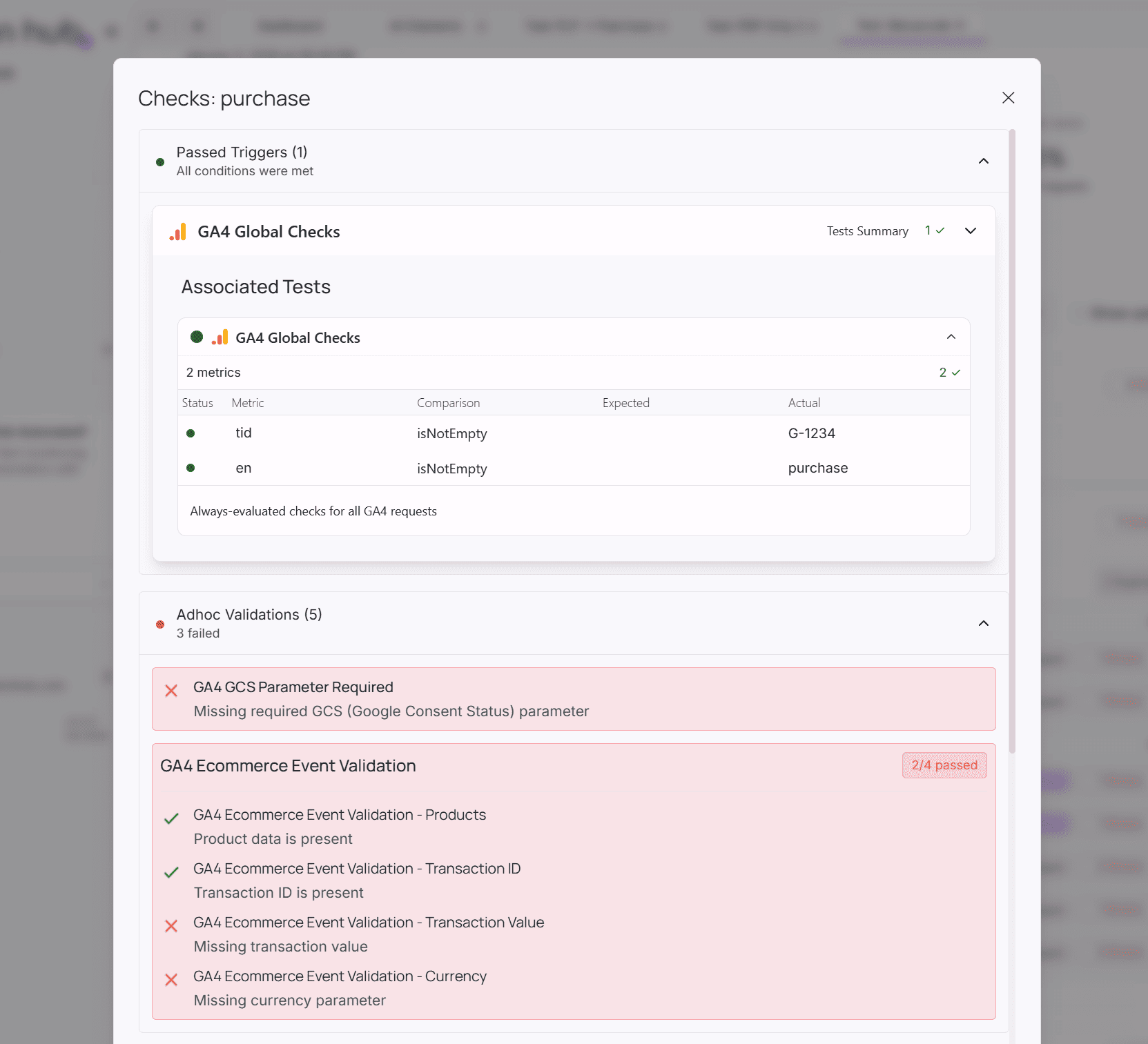
AssertionHub continuously monitors your tracking setup by simulating user journeys. Based on the rules you set up in the tool, all the manual work left will be to read the results and start debugging any issues.
Automated Testing Capabilities
You set up the journeys and define your tests and expectations to check:
- GDPR compliance for your tracking implementation
- Duplicate events tracking across platforms
- Missing events in critical user flows
- Missing parameters on events (e.g., item_price missing from specific products)
- Cross-platform consistency between GA4, Facebook Pixel, and other tools
- Real-time alerts when tracking breaks
Benefits of Automation
Continuous Monitoring:
- 24/7 surveillance of your tracking setup
- Immediate notifications when issues arise
- Historical tracking of data quality over time
Scalability:
- Test multiple user journeys simultaneously
- Monitor unlimited events and parameters
- Support for multiple domains and environments
Efficiency:
- Reduce manual testing time by 90%
- Eliminate human error in repetitive testing
- Focus team resources on analysis rather than execution
Getting Started
Manual Testing Setup
- Create your testing checklist based on critical business events
- Document expected parameters for each event
- Establish testing frequency (weekly, monthly, or per release)
- Train team members on testing procedures
Automated Testing Setup
Get started with AssertionHub for free.
Quick Start Process:
- Define your user journeys and critical conversion paths
- Set up monitoring rules for key events and parameters
- Configure alerts for immediate notification of issues
- Review results and iterate on your testing framework
We also offer support with tracking issues resolution if needed. Get in touch if you have any questions.
Frequently Asked Questions
How often should I test my analytics tracking?
What are the most common analytics tracking issues to test for?
Why should I test the same event on different pages separately?
Should I run analytics tests in incognito mode?
What is the main advantage of automated over manual analytics testing?

Co-founder of BeluaCode and AssertionHub
Analytics Developer specialised in tracking implementation,
implementations QA, tag management and highly customised solutions
when standard tools don't fit.
Runs
BeluaCode
as an implementation agency helping other experts when things get
too complex and
AssertionHub
to automate tracking validation on Analytics events.